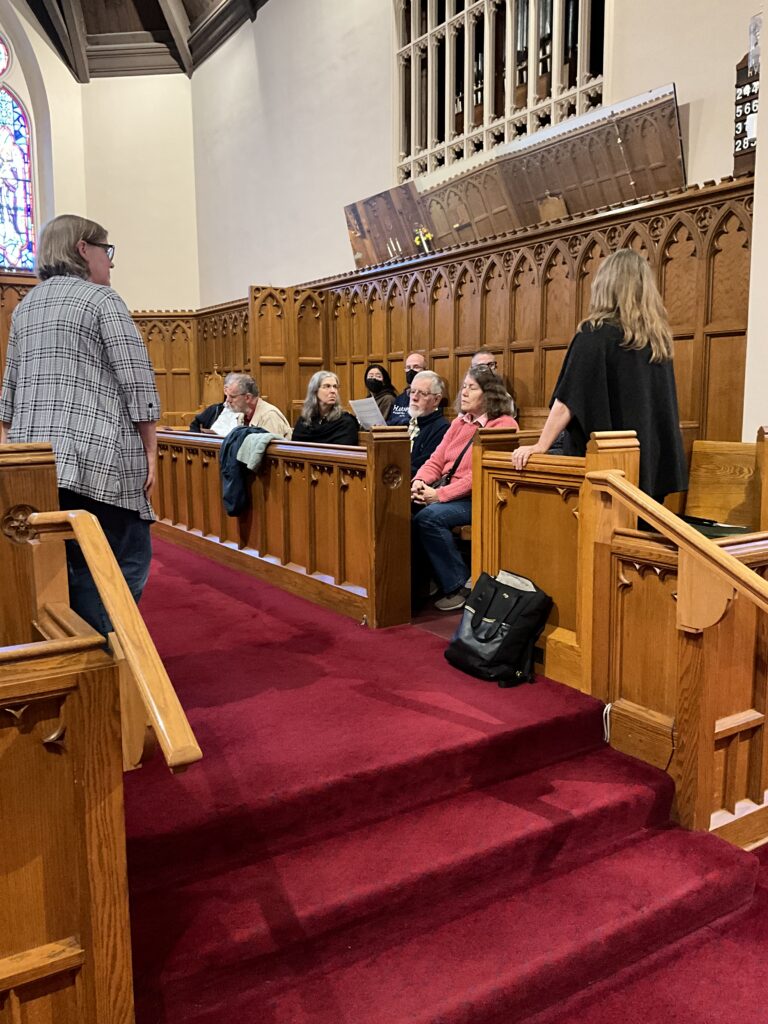
On the morning of Saturday, April 25, members of the Tacoma Chapter of the American Guild of Organists gathered in the Lagerquist Concert Hall at Pacific Lutheran University for an immersive exploration of one of the 18th century’s most significant, yet often overlooked, organ collections: Georg Friedrich Kauffmann’s Harmonische Seelenlust.
The presentation was led by David Dahl and Thomas Clark, whose collaborative research brought a fresh perspective to the life and legacy of a composer who was once a finalist for the prestigious St. Thomas post in Leipzig. The setting of Lagerquist Hall was particularly apt, as its Fritts organ—modeled after the North German and central German traditions—offered a disposition that echoes the tonal world of the Wender organ (1717) that Kauffmann famously played at Merseburg Cathedral.

David Dahl opened the session by contextualizing Kauffmann’s importance in the late Baroque era. He emphasized that the Harmonische Seelenlust (Harmonious Soul’s Delight) is a landmark in the repertoire, being the first large-scale collection of chorale preludes to provide specific registration indications by the composer himself. Dahl’s remarks underscored why it is essential for modern organists to rediscover this document: not just for its historical value, but for its practical utility in contemporary liturgical service and concert programming.
As the morning progressed, Thomas Clark delved into the structural intricacies of the collection. One of the highlights was an analysis of Kauffmann’s preface, which serves as a fascinating pedagogical “toolkit” for the 18th-century organist. Clark distilled Kauffmann’s philosophy into several core principles, most notably the “Priority of the Melody”—the insistence that the chorale tune remains audible and perceptible, even amidst artful variation and figured work.

In a move that sparked both laughter and furrowed brows, the lecture was punctuated by a series of pop quizzes. These questions were intentionally “unfair,” designed to challenge the guild’s experts by highlighting the composer’s inconsistent application of his own “rules.” For instance, while Kauffmann was notoriously precise in his registration for Trios, he left nearly three-quarters of his ornamented chorales without specific instructions. This provided a perfect entry point into Kauffmann’s “tough love” technical advice: he assumed that if a player possessed the talent to execute complex Manieren (ornaments), they already possessed the “good taste” and judgment required to select the appropriate stops.
The academic rigor of the session was balanced by a gracious mid-morning break. Members enjoyed a selection of coffee and doughnuts provided by Loi Le, allowing for collegial discussion on everything from German Baroque fingering to the merits of various modern editions of the Seelenlust.
The second half of the program shifted from the lecture podium to the organ bench, featuring live musical examples that demonstrated the sheer variety of Kauffmann’s writing. The audience was treated to the magnificent sound of the Fritts organ in both solo and collaborative settings. Paul Tegels and Dana Robinson provided masterful interpretations of several chorale preludes, illustrating the composer’s use of diverse textures—from simple figured settings to complex, dance-like Trios.
A particularly stunning moment was the performance of the Trios with Obligato featuring Shannon Spicciati on the oboe. These pieces, which Kauffmann specifically designated as “a 2 Clav. et Ped. con Oboè,” offered a rare glimpse into the composer’s orchestrational imagination. The blend of the oboe’s reediness with the clear, singing principals of the Lagerquist organ brought the Harmonische Seelenlust to life in a way that moved beyond the historical page into a vivid musical reality.
At the end of the program, all four participants sat down in front of the audience to answer questions in a lively discussion.

For those who wish to delve deeper into the research, a comprehensive resource page remains active at tacomaago.org/kauffmann-program-resource-page/. The site includes links to historical documents, registration tables comparing the Merseburg and Lagerquist organs, and further insights into the editions of the work.
By the time the final notes had faded, it was clear that Kauffmann’s music is far more than a historical curiosity. As we left the hall, we took with us a renewed appreciation for a composer who demanded much of his performers but offered, in return, a profound sense of “harmonious delight.”
Acknowledgments
Staatsbibliothek Berlin
For use of the Harmonische Seelenlust manuscript.
Partitura Organum
For use of the printed editions of Harmonische Seelenlust under the terms of the Creative Commons copyright.
Pacific Lutheran University
For use of the Lagerquist Concert Hall.
For more information on the Gottfried and Mary Fuchs organ at PLU, visit plu.edu/organ/gottfried-and-mary-fuchs-organ.